Generate
Use length rules, random patterns, and saved presets to build a clean queue.
 OGTOOL
OGTOOL STORE / BUILD 1.5.3
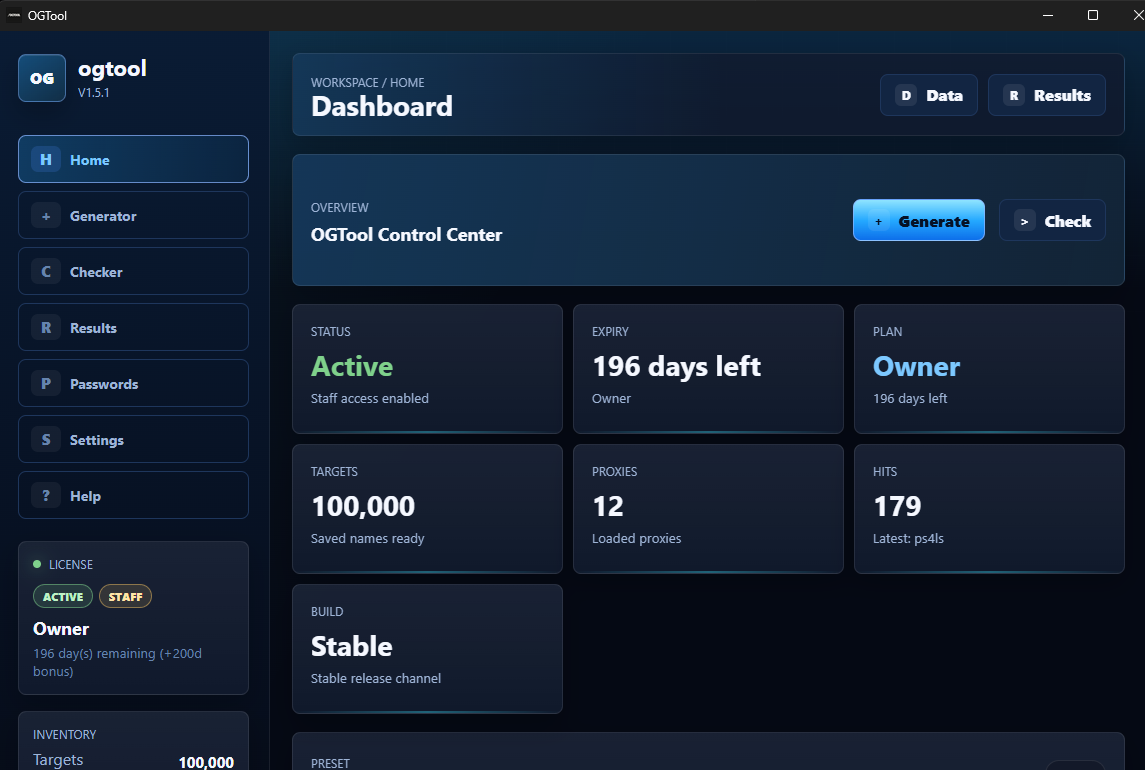
OGTOOL is a desktop command center for generating nick lists, checking availability, rotating proxies, and saving hits without turning your screen into a mess.
TARGET MATRIX
Each target has its own behavior. OGTOOL keeps them separated so you can see what is queued, what is active, and where hits landed.
RUN LOOP
Set the name rules, load proxies, run checks, then copy the hits that matter.
Use length rules, random patterns, and saved presets to build a clean queue.
Bring your own list and keep heavier runs moving without babysitting every request.
Run one target or several, then watch states and counts update from the dashboard.
Review available names from Results instead of digging through raw logs.
INTERFACE
Dark, readable, and built for repeated runs. No oversized gimmicks, no fake analytics wall.
KEYS
Start with a day key, stay for a month, or grab lifetime if this is part of your regular toolkit.
Day Key
Short test run
Week Key
Weekend plus cleanup
3 Month Key
Longer run window
Lifetime Key
Pay once
SUPPORT
Join the Discord for buyer support, update notes, and quick setup answers.
FAQ
The success page shows your key after payment and links you straight to the buyer panel.
For light testing, maybe not. For serious runs, bring your own proxies for better stability.
Hits appear in the Results view and are saved locally so you can review them after the run.
Yes. If you start with a shorter key, you can buy a longer one whenever you need more time.
OGTOOL CHECKOUT